Understanding Starlink Roam Internet Costs for RVs in 2026
Starlink Roam has become a serious option for RV travelers who want internet that follows them beyond cities, campgrounds, and cable footprints. In 2026, the real question is not simply whether satellite internet works on the road, but how much it truly costs after hardware, monthly service, power draw, mounts, taxes, and backup connectivity are counted together. This guide sorts the moving pieces into a practical budget so full-timers, seasonal campers, and remote workers can make calmer decisions before the next mile rolls under the tires.
Outline of this article:
- The basic pricing structure and what counts as the true starting cost
- RV-specific equipment, installation, and power expenses that are easy to overlook
- Monthly operating costs across different travel styles and usage patterns
- How Starlink Roam compares with cellular hotspots, campground Wi-Fi, and other options
- A practical conclusion for RV owners deciding whether the service fits their 2026 budget
1. The Real Starting Price: Hardware, Service Plans, and One-Time Charges
When RV owners ask, “What does Starlink Roam cost in 2026?” they are usually asking for a single number. The honest answer is that there is no one universal figure, because the total depends on region, taxes, hardware generation, and how aggressively you optimize your setup. Starlink, a satellite internet service from SpaceX, has changed plan names, equipment bundles, and travel options over time, so the smartest way to think about price is as a layered system rather than a flat fee.
The first layer is hardware. For many buyers, this is the biggest emotional hurdle because it is paid up front. Depending on market, model, promotions, or refurbished availability, RV travelers may see equipment costs that land roughly in the mid-hundreds of dollars. In practical terms, a 2026 buyer should expect a meaningful initial outlay before the first login screen even appears. A lower entry price can sometimes be offset by shipping, taxes, or a less flexible mounting setup, while a premium kit may make deployment easier but raises the break-even point.
The second layer is the recurring Roam subscription. This is the price that attracts the most attention, yet it is only one piece of the budget puzzle. In many markets, travelers should expect a monthly service charge that is clearly higher than basic home broadband and often above many cellular plans. If you use the service only for a few trips each year, that monthly number can feel heavy. If you depend on it daily for work, navigation updates, video calls, and cloud access, the same fee can look much more reasonable.
Then come the one-time or semi-hidden charges that make spreadsheets quietly fatter:
- Shipping and handling
- Sales tax or VAT
- Replacement cables or adapters
- Protective storage for the dish during travel
- Possible service reactivation or plan adjustments, depending on the market
A useful 2026 rule of thumb is this: never judge Starlink Roam by the sticker on the subscription page alone. Instead, separate your planning into three buckets: startup cost, monthly service, and practical extras. A buyer who spends $500 to $700 on gear and setup, then pays a recurring monthly fee, is having a very different experience from someone who already owns solar, a router, and a suitable mounting location. The road, as always, charges different tolls to different travelers.
That is why cost comparisons should be framed around ownership style. A weekend camper may struggle to justify the upfront price, while a full-time RVer can spread that same cost over hundreds of travel days. In simple terms, the more often you rely on reliable internet far from towns, the less shocking the starting price becomes.
2. The Overlooked RV Expenses: Mounts, Power Systems, Storage, and Installation
For many new users, the subscription is not the surprise. The surprise is everything around it. An RV is not a living room, and satellite internet inside a moving home asks for practical support. The dish needs a clear view of the sky, the router needs protection from heat and moisture, the cables need routing, and the power system needs enough stability to avoid turning a modern internet setup into a daily ritual of unplugging and sighing.
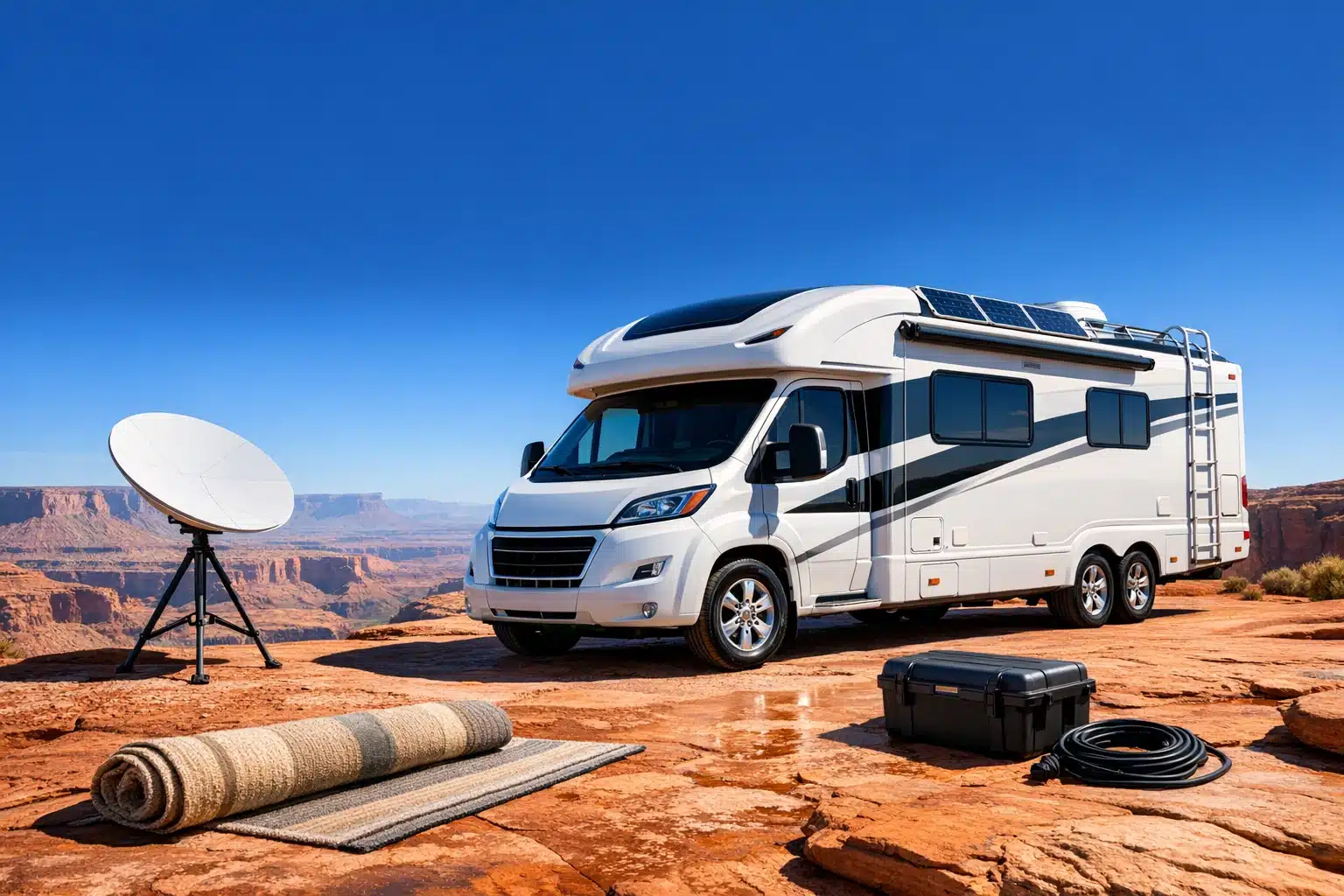
Let us start with mounting and placement. Some RV owners keep the dish portable and place it on the ground or a tripod at each stop. That is usually the cheapest path because it avoids roof work, but it adds setup time and can be frustrating in muddy campsites, crowded parks, or heavily wooded areas. Others invest in roof mounts, ladder mounts, poles, or telescoping systems that raise the dish above obstructions. Those choices can add anywhere from modest accessory costs to several hundred dollars once hardware, brackets, sealants, and labor are considered.
Power is the next budget category that deserves more respect. Starlink equipment commonly draws meaningful power compared with lightweight mobile hotspots. Exact consumption varies by model, temperature, and activity, but many RV users plan around a ballpark of 50 to 100 watts during operation. At 75 watts for 10 hours a day, usage lands near 22.5 kWh per month. On shore power at $0.15 per kWh, that may cost only about $3.38 in electricity. Off-grid, however, the question is not the utility bill but the strain on batteries, inverters, and solar reserves. A boondocker may end up spending far more on energy infrastructure than on electricity itself.
Common add-on costs often include:
- Tripod or pole mount
- Roof mounting hardware and sealant
- Longer cables or cable management clips
- A better inverter or DC power solution
- Battery upgrades for longer off-grid sessions
- A travel case or padded storage bin
- A secondary Wi-Fi router or mesh node for larger rigs
There is also the issue of wear and movement. RV life shakes everything. A cable that sits politely in a house may rub, bend, or snag in a trailer pass-through. A router shelf that seems stable at the campsite can become a launch platform on washboard roads. Spending a little on strain relief, cable sleeves, and smart storage can save a larger replacement cost later.
This is where Starlink Roam stops being a simple internet bill and becomes part of the RV’s systems design. If your rig is already built for remote work, the extra cost may be moderate. If your current setup is basic, the path to a clean, dependable installation can be much more expensive than many first-time buyers expect.
3. Monthly Budgeting in the Real World: Usage Habits, Pause Options, and Backup Internet
Once the dish is paid for and the cables are tamed, the next question is whether Starlink Roam is affordable month after month. This is where usage habits matter more than brand excitement. A service can be technically excellent and still be financially inefficient if your travel style does not need it.
Think about three common RV user profiles. First, there is the occasional traveler who takes six or eight trips a year, often staying in developed campgrounds near towns. Second, there is the seasonal adventurer who spends several months roaming and mixes public parks with some remote stays. Third, there is the full-time RVer or road-based worker whose income, school, or client calls depend on a dependable connection. The same monthly fee hits each of these users very differently.
Starlink Roam becomes easier to justify when you divide the service cost by use days rather than months alone. For example, if an RVer pays for one month of service and uses it only four nights, the cost per day can feel steep. If another traveler uses the same month for 30 days of navigation, streaming, work uploads, weather tracking, and video meetings, the value equation changes dramatically. The bill is the same, but the benefit per day is not.
Many travelers also underestimate the cost of redundancy. Starlink is powerful, yet plenty of RV owners still keep a cellular backup because no single internet source is perfect in every place. Trees can block the sky. Deep canyons can complicate positioning. Severe weather can affect performance. A second connection may add another monthly fee, but for remote workers it often buys peace of mind rather than excess.
Real-world monthly budgeting often includes more than the Starlink line item:
- Roam subscription fee
- Cellular backup plan or hotspot line
- Streaming and cloud service use enabled by better bandwidth
- Battery wear or generator runtime during off-grid workdays
- A replacement reserve for cables or damaged accessories
There is also the question of pause flexibility. In some regions and plan structures, users may be able to suspend service when not traveling, which can materially improve annual value. If that option applies, Starlink becomes much easier to defend for part-time RV owners. A traveler using the service only during active road months is managing cost in a more rational way than someone paying year-round for a dish sitting quietly in storage.
In 2026, the best budgeting method is scenario-based. Build a light-use plan, a moderate-use plan, and a heavy-use plan. When you compare those annual totals against how much reliable internet matters to your travel style, the answer usually becomes clearer. Numbers remove romance, but they also prevent regret.
4. Cost Comparison: Starlink Roam Versus Cellular Hotspots, Campground Wi-Fi, and Other Alternatives
Starlink Roam does not exist in a vacuum. RV owners compare it with several alternatives, and each one wins in certain conditions. Cost alone rarely tells the whole story, because location, consistency, upload needs, and the value of your time all matter. A cheaper service that fails during every important video call is not actually cheaper if it costs you work hours, booking delays, or repeated troubleshooting.
Campground Wi-Fi is usually the most tempting low-cost option because it is often included in the nightly rate. The catch is familiar to almost anyone who has tried to stream a movie from a crowded park on a rainy evening. Shared networks can slow dramatically, coverage may not reach every site, and performance can collapse when dozens of users log in at once. For light browsing or email, it may be enough. For remote work, cloud syncing, or dependable calls, it is often a gamble.
Cellular hotspots and phone tethering remain Starlink’s closest rivals for many RVers. If you spend most of your time near populated corridors, a strong 4G or 5G plan can be cheaper and easier. The hardware is smaller, the power draw is lower, and setup can take seconds instead of minutes. In some cases, a well-placed rooftop cellular antenna and a quality router can deliver excellent value. But cellular performance depends heavily on carrier coverage, congestion, and terrain. In remote desert stretches, mountain forests, or dispersed camping areas, the map can look generous while reality stays stubbornly thin.
Here is a practical comparison framework:
-
Campground Wi-Fi: lowest direct cost, highest inconsistency in crowded locations.
-
Cellular hotspot: often cheaper monthly, highly convenient, but location dependent.
-
Fixed 5G home internet products: attractive pricing, yet many are not designed for roaming use.
-
Starlink Roam: higher upfront and monthly costs, but uniquely valuable where terrestrial networks fade.
Another hidden comparison point is opportunity cost. If you spend hours driving into town for uploads, circling for signal, or paying for premium campground spots simply to improve connectivity, those indirect costs can narrow the price gap between Starlink and “cheaper” alternatives. A satellite link that works from more places may save time, fuel, and frustration even if the invoice is larger.
In short, Starlink Roam is rarely the cheapest internet option for RVs in 2026. It is, however, one of the most compelling options for travelers who prioritize geographic flexibility. If your ideal campsite is where cellular bars disappear and the horizon opens like a postcard, Starlink’s higher cost may be the price of true freedom rather than an indulgence.
5. Conclusion for RV Owners: Who Should Pay for Starlink Roam in 2026?
The final decision comes down to a simple but powerful question: what is unreliable internet costing you already? For some RV owners, the answer is very little. They travel on weekends, stay in established parks, use the web lightly, and can tolerate weak Wi-Fi now and then. For them, Starlink Roam may feel like buying expedition boots for a sidewalk stroll. It will work, but the budget may not thank them.
For others, the answer is much larger. Full-time RVers, remote employees, freelancers, traveling nurses, online students, content creators, and long-range boondockers often pay hidden penalties when connectivity fails. Missed work sessions, disrupted calls, long drives to coffee shops, and campsite choices dictated by cell towers all carry a cost. In that context, Starlink Roam is not just another utility. It becomes part of the vehicle’s working infrastructure, more like a battery bank or water filtration system than a luxury gadget.
The best candidates in 2026 are usually people in one of these groups:
- Full-time RV travelers who need consistent internet across changing locations
- Remote workers whose income depends on steady access
- Boondockers who camp far beyond normal cellular comfort zones
- Travelers willing to invest in power and mounting equipment for a cleaner setup
On the other hand, budget-sensitive campers who stay near towns may find better value with cellular data plans, selective campground Wi-Fi use, or a hybrid strategy that delays Starlink until their travel style changes. There is no shame in that. Smart budgeting is not about owning the most capable tool. It is about paying for the capability you will actually use.
If you are trying to build a realistic 2026 number, think in layers. Estimate hardware first. Add taxes and shipping. Include mounts, storage, and any needed power upgrades. Then total the monthly service alongside a backup connection if your work or travel plans demand redundancy. When those pieces are combined, the true annual cost emerges clearly.
Starlink Roam can be expensive for an RV, but “expensive” and “poor value” are not the same thing. For the right traveler, it turns dead zones into usable camps and uncertainty into routine. For the wrong traveler, it becomes an impressive line item with limited return. The wise move is to match the service to the miles you drive, the places you love, and the digital demands you carry with you down the road.